

Documentation Index
Fetch the complete documentation index at: https://docs.getunbound.ai/llms.txt
Use this file to discover all available pages before exploring further.
What are Tool Policies?
Tool Policies allow you to monitor and control actions taken by AI coding tools in your organization. Create policies to track, warn on, or block terminal commands executed by AI agents or MCP tool calls made through integrated servers like GitHub, Linear, Sentry, and more. Gateway URL: https://gateway.getunbound.ai/policies/tool-policiesTool Policies Dashboard
Click here to access the Tool Policies management interface
Policy Types
When you click Create Policy, you’ll be asked to choose what you want to monitor: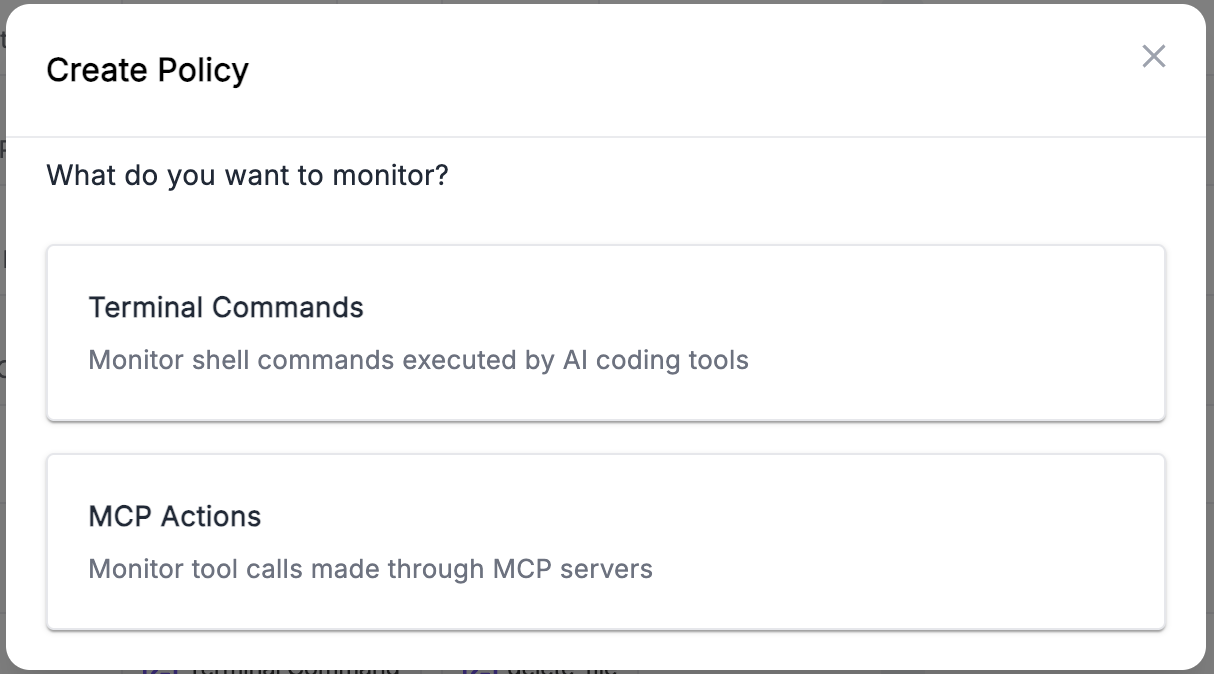
Terminal Commands
Monitor shell commands executed by AI coding tools like Claude Code, Cursor, Roo Code, and Cline.- Select a Command Family (e.g.,
delete_file,git_action,remote_access) - Define a Target Pattern to match specific paths, branches, or operations
- Supports exact match, glob patterns (
/etc/*), and regex (.*\.env$)
MCP Actions
Monitor tool calls made through MCP (Model Context Protocol) servers.- Select an MCP Server (e.g., GitHub, Linear, Sentry)
- Select the MCP Tool to monitor (e.g.,
create_pull_request,create_issue)
Applying to Users
By default, a tool policy with no user groups applies to everyone in your organization. To restrict a policy to specific teams, assign it to one or more user groups during creation or editing.Quick Example
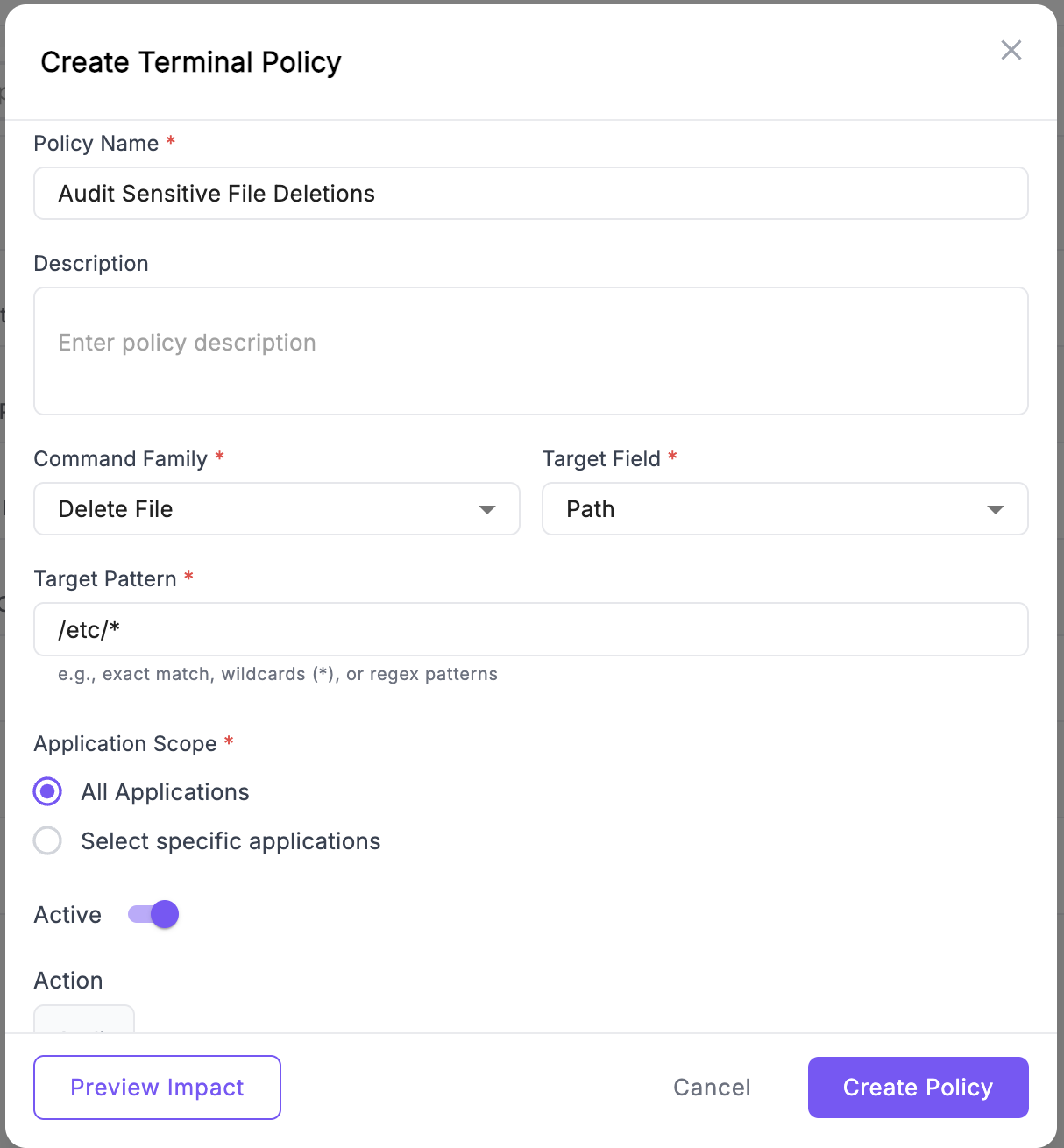
Let’s create a policy to audit when AI tools delete files in sensitive directories:- Go to Tool Policies and click Create Policy
- Select Terminal Commands
- Fill in the form:
- Name: “Audit Sensitive File Deletions”
- Command Family:
delete_file - Target Field:
path - Target Pattern:
/etc/*or*.env
- Set Action to
Audit - Optionally select User Groups to limit the policy to specific teams
- Click Preview Impact to see historical matches
- Click Create Policy
Key Features
- Application Scope: Apply policies to all applications or select specific ones
- Preview Impact: See how many historical commands match your policy before deploying
Policy matches are logged and can be reviewed in the analytics dashboard to identify unusual activity patterns and users who may need additional guidance.
Introduction
Learn more about Unbound Security
FAQs
Find answers to common questions